
Your camera,
on your iPhone.
Live view on a big screen, every setting under your thumb, your photos on the phone as you shoot, and a behind-the-scenes video of the session with every photo marked on it.
Coming soon to the App Store. Free; Pro is $5.99, once. Tested with the Sony α7 V.
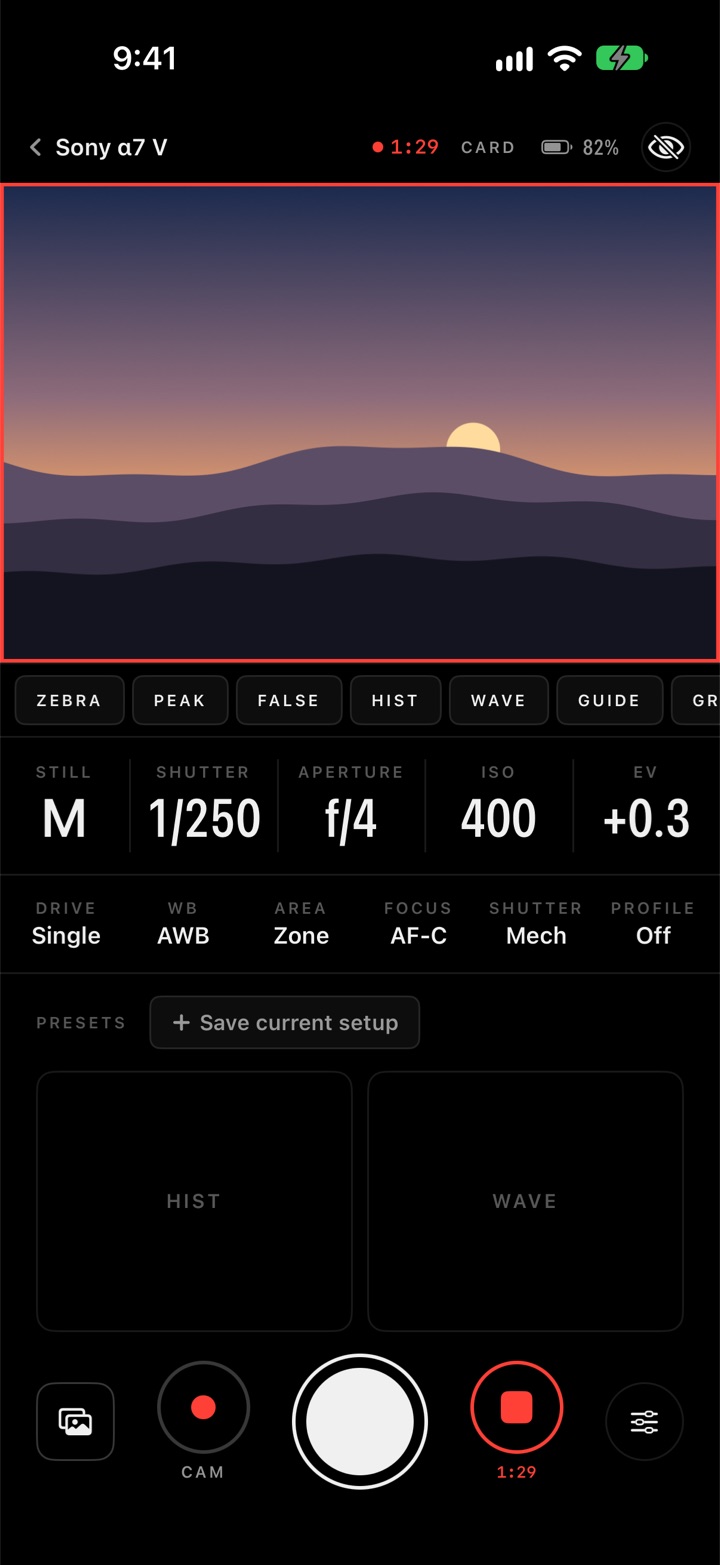
See everything. Change anything.
The camera's picture on the phone's screen, over Wi‑Fi or a USB‑C cable, with the link coming back by itself when it drops. Shutter, aperture, ISO, exposure, white balance, drive, focus and picture profile sit in big readouts that follow the camera. Tap one and scrub a dial like a lens ring.
- Tap to focus anywhere on the picture. The box follows the camera while it tracks.
- Shutter: tap for one, hold for a burst. The camera's own button keeps working. A Bluetooth shutter, like Sony's remote, never waits behind the video.
- Presets: save a whole setup as "Birds" or "Studio" and apply it in a tap.
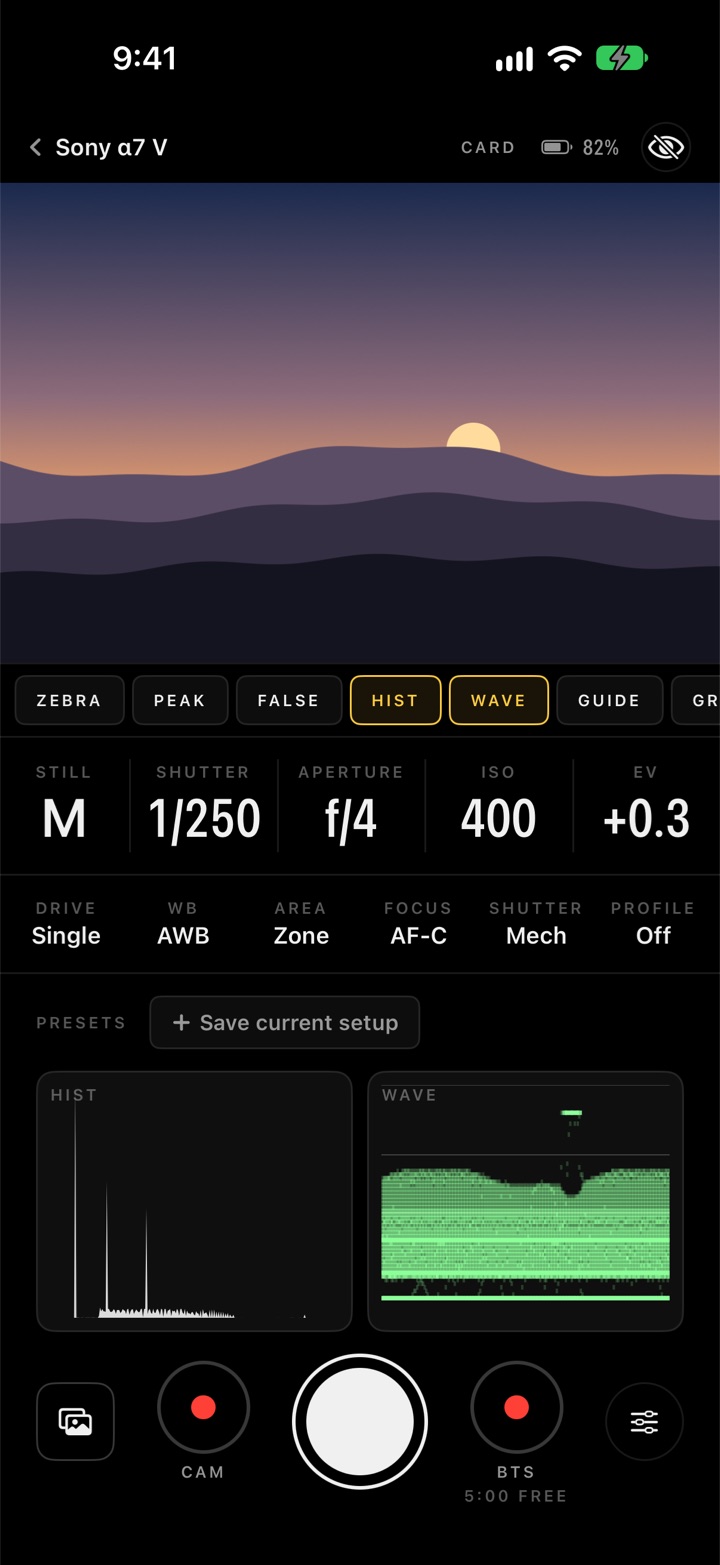
Film the shoot while you shoot.
Tap ● BTS and the phone records what the camera sees while you keep taking photos. Every photo becomes a marker on the video at the moment you took it, with its file name. An FCPXML opens in DaVinci Resolve or Final Cut Pro with the markers on the clip; a CSV lists every shot. Cut straight from the moment to the finished photo.
- Burned in: a settings bar and a focus box, if you want them. Your mic's audio.
- Long sessions: takes split into 1, 2 or 5 minute clips with nothing lost.
- Hands free: "Start Snap" and "Stop Snap" by voice, even with the phone locked.
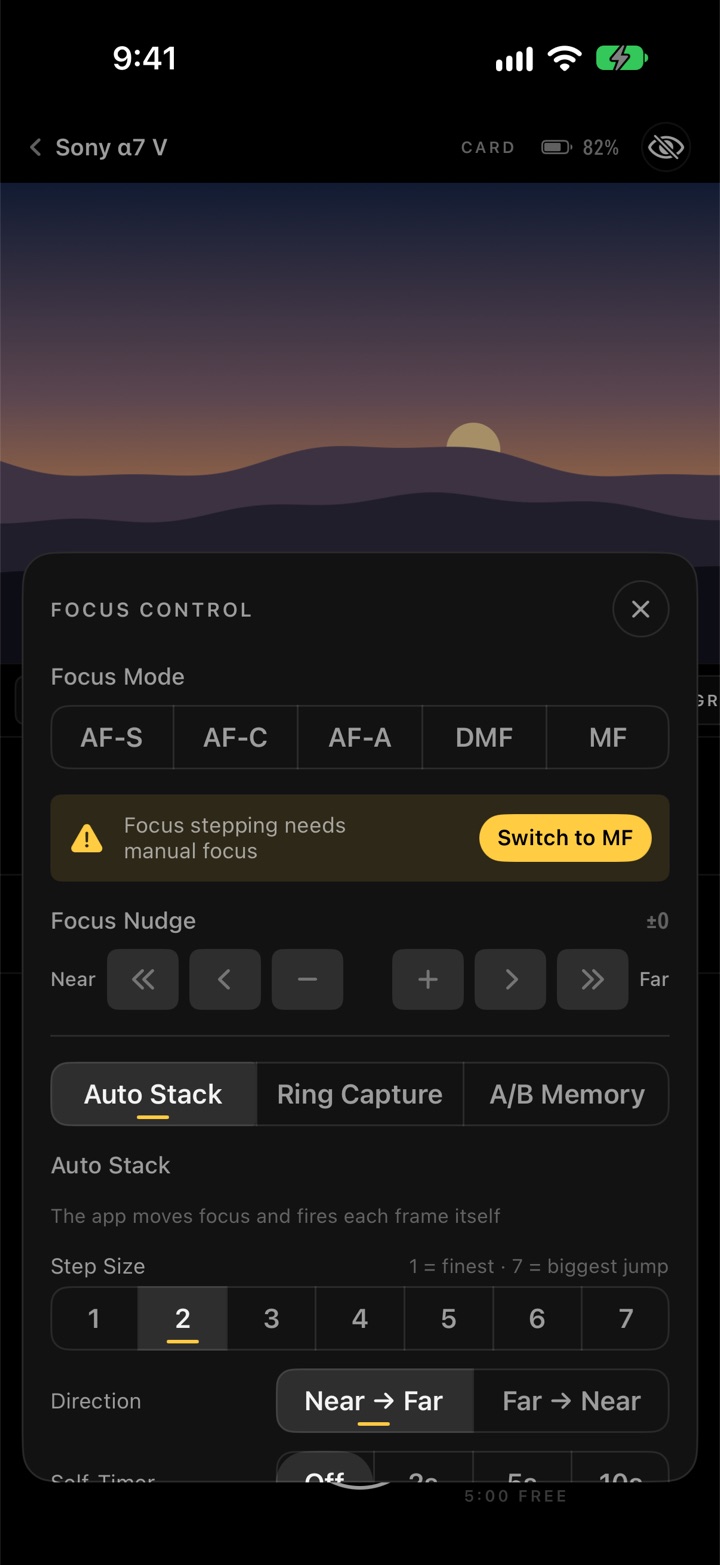
Focus stacking that runs itself.
Set the step, the direction and the number of shots; the app moves the lens and fires every frame. Or turn the ring by hand and let the phone take the shots.
- Ring Capture: a shot each time the ring stops, or every few steps as you keep turning.
- A/B memory: save two focus points and jump between them.
- See it: focus peaking and punch‑in zoom on the phone's picture.
Long exposures, time‑lapses, HDR.
The Shutter Robot runs the shutter for you and puts the camera back the way it was.
- Bulb timer: 10 seconds to 30 minutes, held exactly. Stop any time.
- Intervalometer: a shot every second to every hour, for a count or until you stop, each one confirmed by the camera.
- Bracketing: 3 to 9 shots at up to 3 EV steps for HDR.
- Recipes: save "Milky Way 4 min" and run it in a tap.
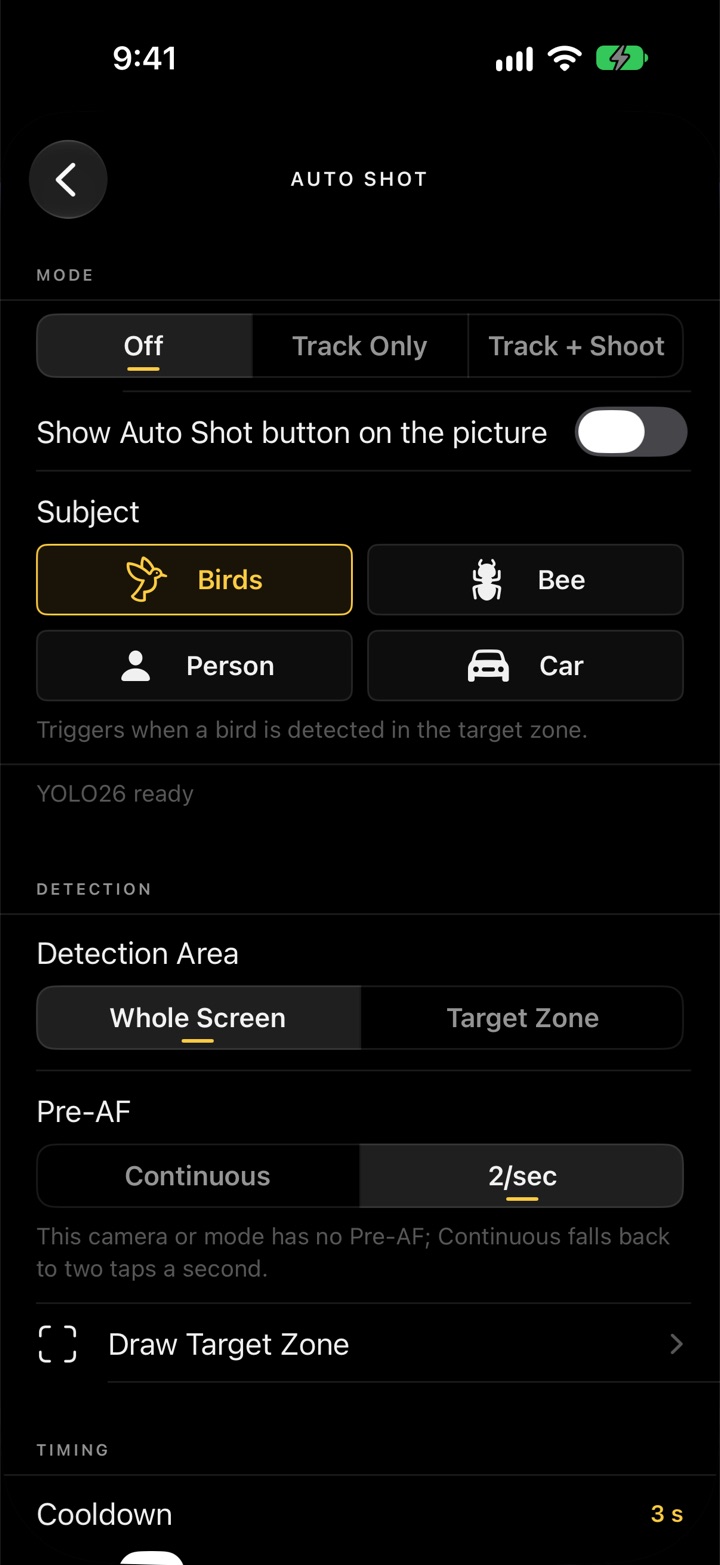
- Auto Shot: the phone watches for birds, bees, people or cars, follows the subject and can take the photo.
Off the card and onto the phone.
The full‑size files, not previews, where you can use them.
Browse everything
Every photo on the card, newest first, bursts stacked, RAW+JPEG pairs as one.
One or a hundred
Save a selection of originals to Photos or a folder in Files, which includes a USB‑C drive. RAW, JPEG or both.
Copies itself
Auto Backup pulls every new photo off the card as you shoot, hands‑free, and catches up after a dropped link.
Into your edit
Lightroom, AirDrop, Files: the share sheet takes the originals straight from the card.
GPS in every file
The camera writes your position into every photo itself, even from its own shutter button.
Live view first
Copies run only when the picture and the shutter don't need the link, so nothing stutters while you shoot.
A field monitor, without the field monitor.
Zebras, false colour, scopes
Two‑level zebras, false colour, histogram and waveform, in a full‑width dock on taller iPhones.
Guides and desqueeze
2.39 to 9:16 guides with shading, grids, centre marker, anamorphic desqueeze 1.33× to 2×, flip.
Camera and phone
Start the camera's own recording from the phone, or record the feed on the phone as a proxy with the shot markers.
Everything here changes only what you see on the phone. Recordings keep the camera's clean picture.
Small things that matter at 5 a.m.
ND, exposure, depth of field
Each reads the camera and sets the answer on it with one tap.
Keep your night vision
A dim red interface for dark shoots. The picture is never tinted.
The whole dial in a grid
Still, Movie, S&Q and Time‑lapse by Auto, P, A, S and M, remembered per connect.
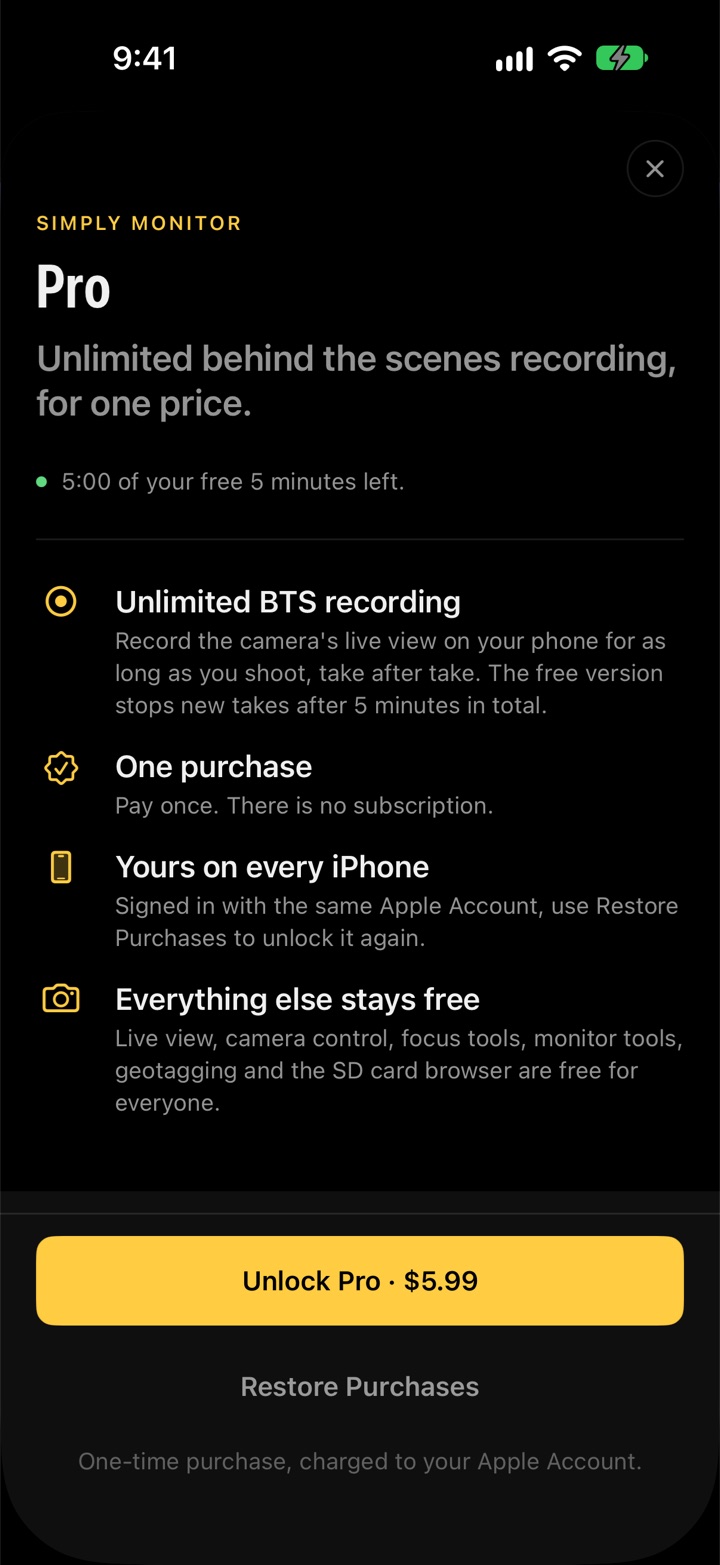
Free to shoot. Pro to keep rolling.
Live view, camera control, focus tools, the Shutter Robot, backups, calculators and the card browser are free for everyone. Pro takes the time limit off behind‑the‑scenes recording.
Everything in the app, plus 5 minutes of BTS recording in total across all takes. A take that is rolling when time runs out still finishes and saves.
Unlimited BTS recording, take after take. Pay once, no subscription. Restore Purchases unlocks it on your other iPhones.
Every feature, step by step.
14 pages, from pairing your camera to the Shutter Robot. It's in the app too, under Settings › Support.