
Simply Step is an iPhone and Apple Watch step counter that reads your steps from Apple Health and turns them into coins, walks to real cities, and a fog-covered map of your own city that lights up as you explore it. It's free to download with ads; Simply Step Premium removes the ads and unlocks the rest of the game. I built it, so read this as a developer's honest guide rather than an independent review. It holds about 4.6 stars from 32 ratings on the US App Store (September 2026). For screenshots and the download link, see the Simply Step app page.
What is Simply Step?
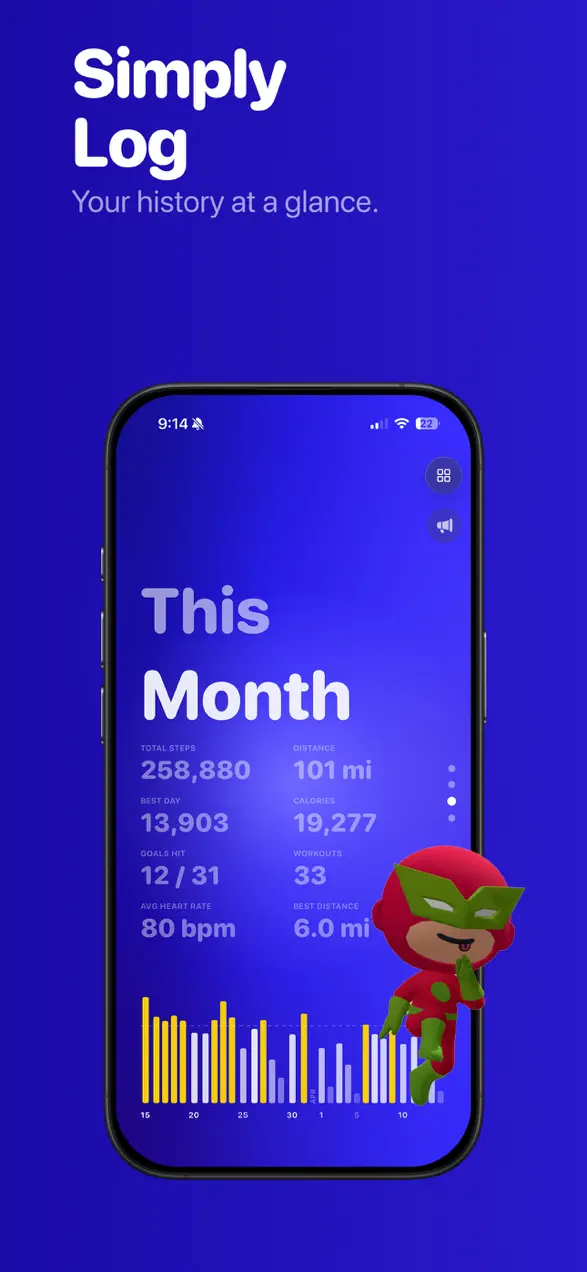
Simply Step is a step counter with a game layered on top. Your step count comes live from Apple Health, the same steps your iPhone and Apple Watch already record, and it sits front and center with weekly, monthly and yearly charts. The game is what you do with those steps: earn coins, dress a 3D character, walk toward one of 21 real cities, and reveal your own neighborhood tile by tile.
I made it because I kept abandoning plain pedometers. A number that resets at midnight didn't give me a reason to take the long way home. A map with a half-explored neighborhood on it did.
| Platform | iPhone, with an Apple Watch app and Home Screen widgets (no iPad or Android version) |
|---|---|
| Price | Free with ads; Simply Step Premium on weekly, monthly, yearly or lifetime plans |
| Steps from | Apple Health (iPhone and Apple Watch) |
| Modes | Treadmill and Tiles (free), Adventure (Premium) |
| Content | 21 cities, 54 achievements in 12 categories, 200+ shop items, 4 themes |
| Languages | 8: English, German, Spanish, French, Japanese, Korean, Portuguese (Brazil), Simplified Chinese |
| Rating | About 4.6 stars from 32 ratings, US App Store, September 2026 |
Tiles mode: the feature that makes Simply Step different
Tiles mode turns a map of your real city into a fog-of-war game: the map starts covered, and every place you walk outside is claimed as a hexagon tile that stays lit for good. It's the most distinctive thing in the app and the reason many people keep it on their home screen.
- Real places. Tiles uses real city boundaries and real neighborhood shapes, so "% explored" means the share of the area you have actually walked, for your current neighborhood and for the whole city.
- Only walking counts. The app tells walking from driving. Tiles you pass in a car show up gray, if you choose to see them at all, and never count toward your totals.
- Leaderboards by city. Tile Rankings show how you compare with other explorers in your city, and you can search any city to see who has covered the most of it.
- Backfill your map. You can import walking and running workout routes from the last 7 days, or import and export individual route files, so walks you did before installing still count.
- Replays and sharing. Watch a replay of how your map filled in and share a city map card. Exporting replays as video is a Premium feature.
- Six tile achievements reward milestones on the map.
On privacy: Tiles uses your location to claim tiles, but your map stays on your iPhone. Only your tile counts go to the leaderboard.
How to get the most out of Tiles
- Import first. On day one, use "Import Last 7 Days". Seeing a few streets already lit makes the empty fog feel like a challenge instead of a chore.
- Turn on background tracking if you're comfortable with it. It lets tiles keep recording after you leave the app, so you don't have to open Simply Step before every walk. You can switch it off in Tile Settings at any time.
- Pick the lowest neighborhood. Open Tile Stats, find the neighborhood with the lowest percentage near you, and plan a loop through it. New streets are where the map grows fastest.
- Swap one familiar route a week. Walking the same loop claims nothing new. Changing a single turn is often enough to open a fresh block.
- Travel counts too. Visiting somewhere new starts a separate map for that city, and your past cities stay in your stats.
If Tiles is the part that interests you, I compared it head to head with the app that popularized the idea in Simply Step vs Stomped.
The other two modes: Treadmill and Adventure
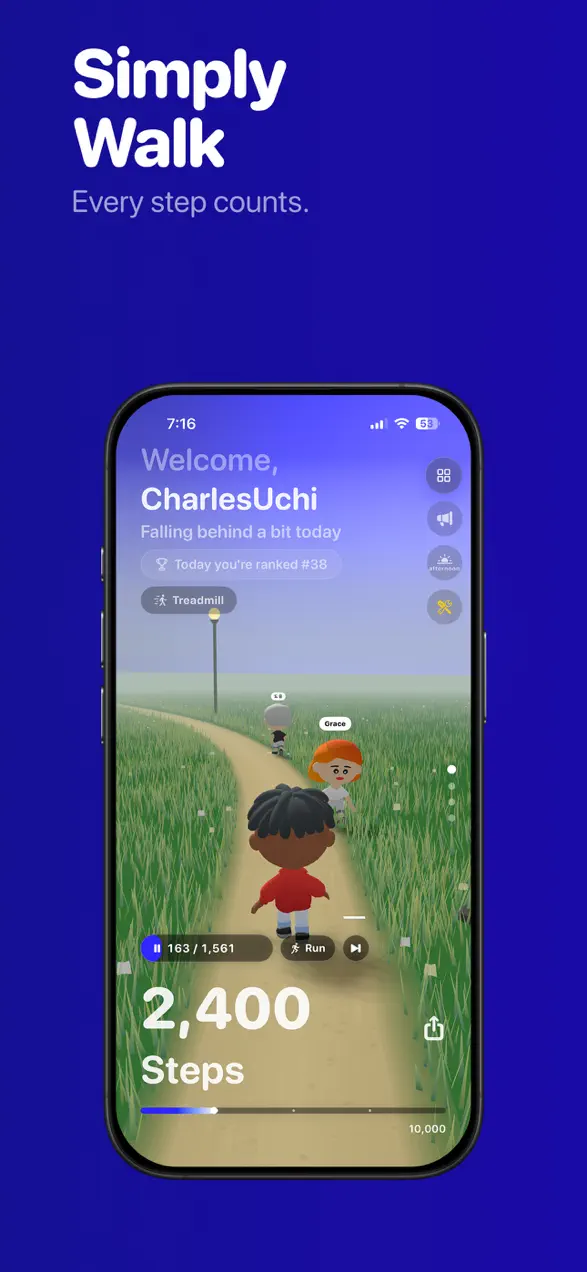
Simply Step has three ways to view your day, and you switch between them at the top of the home screen. Treadmill (free) shows your 3D character walking in place as your steps come in. Adventure (Premium) sends your character along a path through a 3D world, and you can dress it in costumes. Tiles (free) is the map described above.
Coins, city journeys and the character shop
Walking earns coins: 3 coins per 1,000 steps on the free version, and 3 coins per 500 steps with Premium, which is double the rate. Coins stop accruing at 30,000 steps a day, so an extreme day doesn't break the shop. You spend coins on your character in a shop of more than 200 items: outfits, hats, glasses, costumes and more.
City journeys turn your steps into progress toward a real destination. There are 21 cities. Everyone starts with Venice, which is free; the other 20 are part of Premium. Finish a journey and you collect a passport stamp with the date you arrived, then pick the next city.
Streaks, achievements and friends
You set a personal daily step goal, and hitting it builds your streak. If you miss a day on a streak of three days or more, a Restore Streak button lets you spend one of two monthly streak freezes to keep it alive. There are 54 achievements in 12 categories, with Bronze, Silver, Gold and Platinum tiers.
For company, add friends with a code and compare steps on friends leaderboards, or create and join walking groups that compete as a team and keep a group streak.
Workouts, Apple Watch and widgets
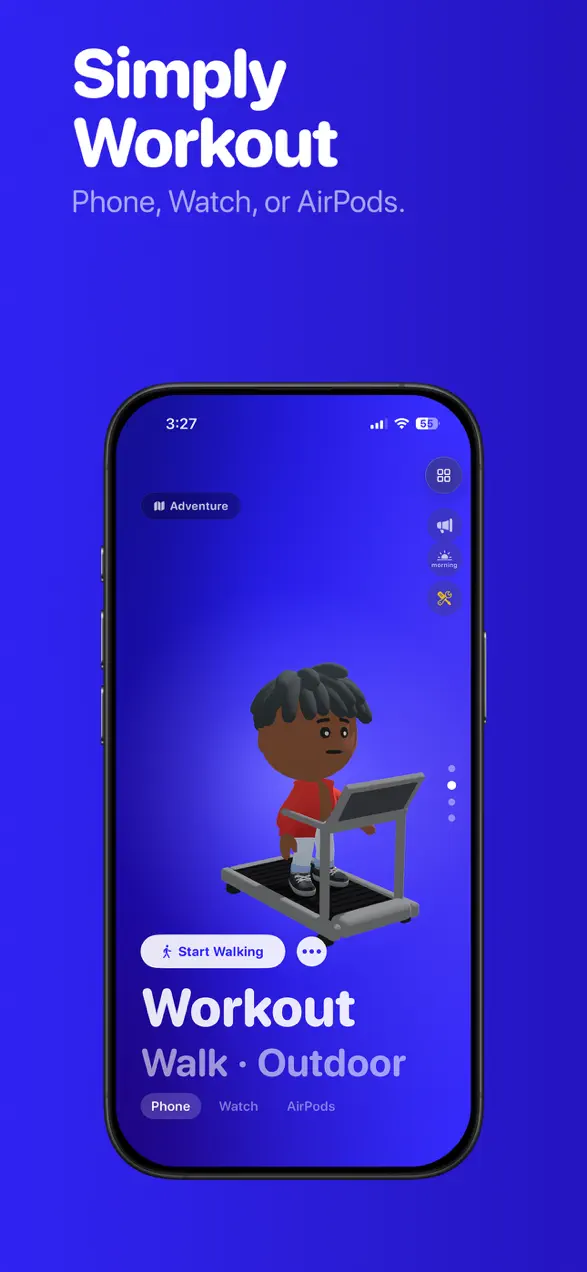
You can start walking or running workouts, indoor or outdoor, with GPS route tracking. Workouts can be recorded with your iPhone, Apple Watch or AirPods. The Apple Watch app does its own tracking, so you can leave the phone at home, and Home Screen widgets show today's steps, goal progress and a weekly chart without opening the app.
How to set up Simply Step in five minutes
- Install it and allow Apple Health access, so your live step count appears.
- Set a daily step goal you can hit on an ordinary day, not your best day. Streaks are built on the ordinary days.
- Make your character. You can buy more items with coins later.
- Start the Venice journey. It's free and gives every walk a destination.
- Open Tiles, allow location, and import your last 7 days of routes.
- Add one friend with a friend code. A single friend on the leaderboard motivates more than a thousand strangers.
What's free and what Premium adds
The free version includes the live step counter, charts and stats, Treadmill and Tiles modes, workouts, the Apple Watch app, widgets, friends, walking groups, achievements, coins at the standard rate, and the Venice journey. It shows ads, and new users get a two-day welcome period first.
Simply Step Premium removes ads and adds Adventure mode and costumes, the other 20 city journeys, the extra themes (there are four in total: Blue, Earth, Rose and Mono), replay and media export, double coins, and a monthly token. Plans are weekly, monthly, yearly or lifetime; prices vary by country and are shown in the app before you buy.
What Simply Step doesn't do, and who shouldn't use it
Simply Step isn't for everyone, and I'd rather you know that before you install it.
- It's iPhone only. There's no iPad app and no Android version.
- The free version has ads. If ads are a dealbreaker and you don't want to pay, a plain pedometer will suit you better.
- It counts steps; it doesn't improve them. Your count comes from Apple Health, so it's exactly as accurate as your iPhone and Watch. Simply Step doesn't add its own step detection on top.
- It isn't a training plan. There are no heart-rate zones, coaching or running programs. If you want structured intervals, an interval timer like Tempo is a better fit.
- Tiles needs your location. For tiles to record in the background you need to allow location all the time. If that's not something you want, Tiles will only record while the app is open.
- If you only want numbers, the game layer is extra noise. My Simply Step vs Pacer comparison covers when a traditional step tracker is the better choice.
Is a step game worth it?
A game doesn't change how far you walk on any single trip. What it changes is whether you go out again tomorrow, and whether you take the longer route when you do. That's the whole bet behind Simply Step. On the question of how many steps you actually need, the famous 10,000 figure has a surprising origin; I dug into the research in Is 10,000 steps a day a myth? If you want more tricks for walking more without relying on willpower, this guide has a few, and the Foggo Apps blog has the rest.
Frequently asked questions
Is Simply Step free?
Simply Step is free to download and the free version shows ads. The step counter, charts, stats, Treadmill and Tiles modes, workouts, friends and the Venice city journey are free. Simply Step Premium (weekly, monthly, yearly or lifetime plans) removes ads and adds Adventure mode and costumes, the other 20 city journeys, themes, replay and media export, double the coin rate and a monthly token.
What is Tiles mode in Simply Step?
Tiles mode covers a map of your real city in fog. Walking outside claims hexagon tiles, which stay lit for good. You see the percentage of each neighborhood and city you have explored, rank on city tile leaderboards, and can import recent workout routes. Driving is detected and vehicle tiles never count.
How many coins do you earn per step in Simply Step?
Free users earn 3 coins per 1,000 steps. Premium members earn 3 coins per 500 steps, which is double the rate. Coins stop accruing after 30,000 steps in a day. Coins are spent in the character shop, which has more than 200 items.
Does Simply Step work with Apple Watch?
Yes. Simply Step has an Apple Watch app with its own tracking, and GPS walking or running workouts can be recorded with iPhone, Apple Watch or AirPods. It runs on iPhone only; there is no iPad version.
First published . Updated September 26, 2026: corrected coin rates, city and achievement counts and what Premium includes, added a full Tiles mode guide, and removed features that aren't in the current version.