Did it is a free habit tracker for iPhone and iPad with no subscriptions and nothing locked behind a paywall. You tap a habit to mark it done, build streaks, and see your consistency in stats and a calendar; it also has a mood journal, a to-do list, Apple Health auto-complete, widgets, and a pixel city you build with coins you earn by showing up. The only ads are optional rewarded ones you can watch for extra coins. I built Did it and have been updating it since July 2024. It has about 4.8 stars from 26 ratings on the US App Store (September 2026). For screenshots and the download link, see the Did it app page.
What is Did it?
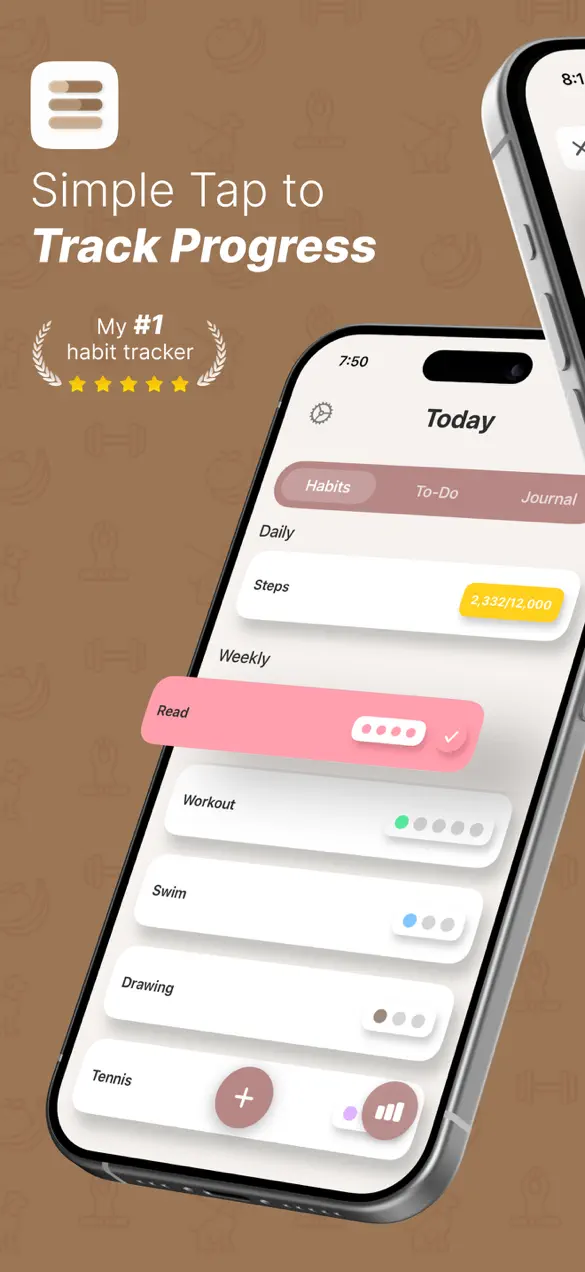
Did it is a habit tracker built around one moment: tapping a habit and marking it done. Everything else, streaks, stats, the calendar, the journal, supports that moment rather than competing with it. I made it after giving up on trackers that wanted ten minutes of setup and a subscription before I could log a single glass of water.
| Platform | iPhone and iPad, with Home Screen widgets |
|---|---|
| Price | Free, no subscriptions; optional rewarded ads for extra coins |
| Tracking | Daily and weekly habits, streaks, stats, calendar |
| Extras | Mood journal, to-do list, Apple Health auto-complete, reminders, dark mode, pixel city |
| Languages | 6 |
| Rating | About 4.8 stars from 26 ratings, US App Store, September 2026 |
What Did it does
Habits, streaks and stats
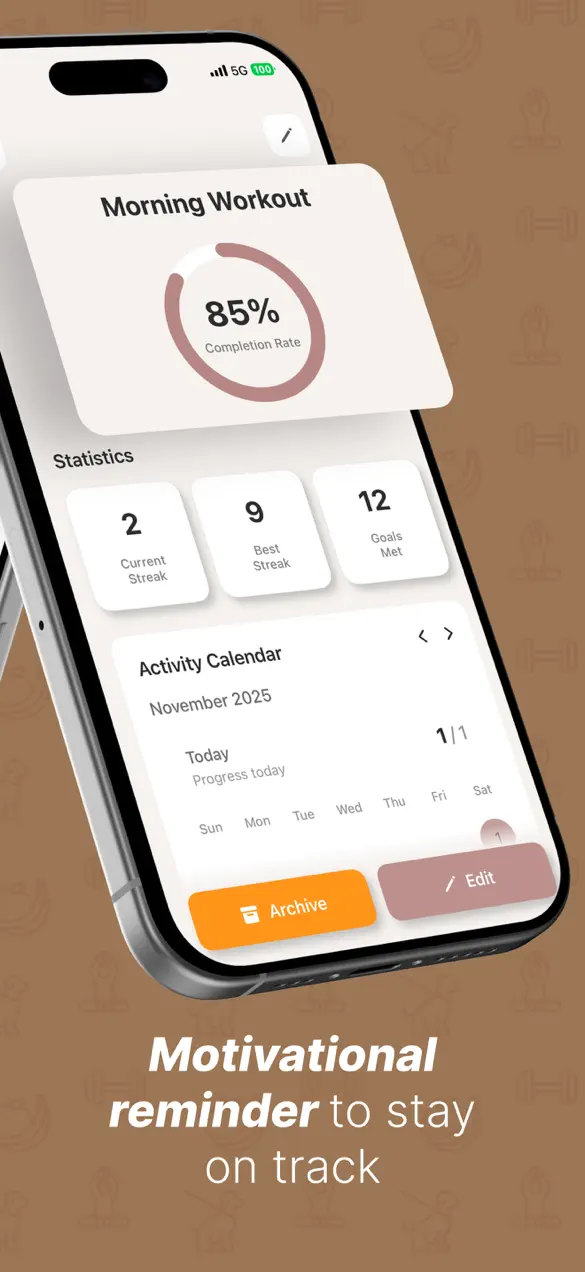
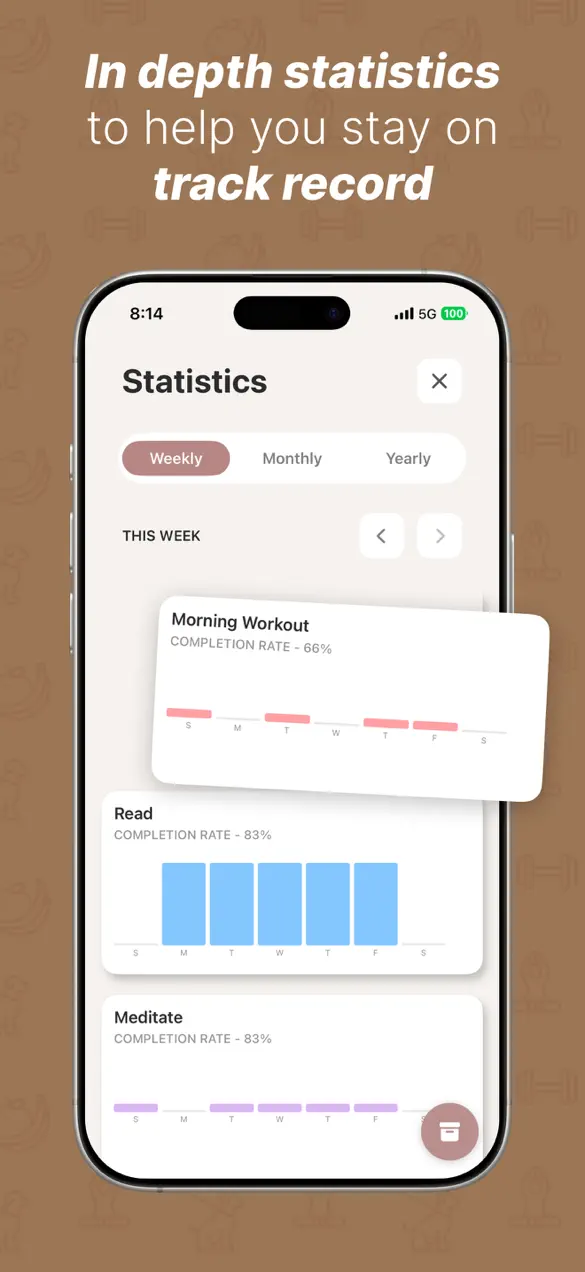
Add daily or weekly habits, tap to complete them, and watch the streak grow. Each habit has its own page with a completion rate, current and best streak, goals met and an activity calendar, and the statistics view shows weekly, monthly and yearly completion charts. Completing a habit plays a short animation with sound; you can choose between Sweep, Circle, Swipe and Paint styles.
Apple Health auto-complete
Link a habit to Apple Health and Did it fills it in for you. A "10,000 steps" or "12,000 steps" habit shows live progress and ticks itself off when you hit the number, so movement habits don't need a manual check-in.
A journal with moods, and a to-do list
The Today screen has three tabs: Habits, To-Do and Journal. The journal lets you pick a mood and write a short note about the day, and one entry a day earns coins. The to-do list is for one-off tasks that aren't habits, so your whole day lives in one place.
A pixel city built from your coins
Completing habits and writing in your journal earns coins, up to a daily limit, and you spend them in the City Builder on buildings and residents for a small pixel city. It's a quiet reward that grows as your streaks do. If you want to grow it faster, you can choose to watch a rewarded ad for extra coins. That's the only place ads appear, and it's always your choice.
Reminders, widgets and dark mode
Set reminders for specific days and times, add Home Screen widgets to check progress without opening the app, and use it in light or dark mode.
How to set up your first habits
- Start with two or three habits, not ten. You can add more once these are automatic.
- Make each one small and specific: "Read 10 pages", not "Read more".
- Attach each habit to something you already do, and set the reminder for that time: "after breakfast", "when I get home".
- Link any movement habit to Apple Health so it completes itself.
- Add the widget to your Home Screen so the habit is visible before you open any other app.
- At night, write one line in the journal. It takes 30 seconds and earns coins for your city.
What the research says about how long habits take
The best-known study on this is by Phillippa Lally and colleagues at University College London. They asked 96 volunteers to repeat one eating, drinking or activity behaviour every day in the same context (for example "after breakfast") for 12 weeks, and to rate how automatic it felt. For the 39 people whose data fit the model well, the median time to reach 95% of their peak automaticity was 66 days, with a range from 18 to 254 days. The study also found that missing one opportunity did not materially affect habit formation, and that people who performed the behaviour more consistently fit the habit curve better (Lally et al., European Journal of Social Psychology, 2010).
Two practical takeaways that shaped how I use Did it. First, expect about two months, not three weeks, and don't judge a habit before then. Second, a broken streak is not a failed habit. If you miss a day, the research says you haven't lost your progress, so tap it again tomorrow.
What Did it doesn't do, and who should look elsewhere
- It's Apple only. iPhone and iPad; there's no Android or web version.
- It's not a serious productivity system. The to-do list is simple, with no projects or shared lists. If you need those, use a dedicated task manager alongside it.
- It's not a long-form journal. The journal is for a mood and a few lines. For a richer daily record with photos, 365 Buttons is built for exactly that.
- It doesn't coach you. Did it won't suggest habits or adjust your goals. It records what you did and makes that feel good.
- If you dislike game elements, you can ignore the city entirely, but it is part of the app.
If your habit is walking more, a pet or a map can help even more than a checkbox; I wrote about that in how to trick yourself into walking more.
Frequently asked questions
Is Did it free?
Yes. Did it is free with no subscriptions, and nothing is locked behind a paywall. There are optional rewarded ads you can choose to watch for extra coins to spend on your pixel city.
Can Did it complete habits automatically with Apple Health?
Yes. You can link a habit to Apple Health, for example a daily step goal, and Did it marks it complete when Apple Health shows you've hit the target, without a manual check-in.
Does Did it have a journal and a to-do list?
Yes. The Today screen has Habits, To-Do and Journal tabs. The journal lets you log your mood with a short entry, and writing one earns coins once a day. The to-do list keeps one-off tasks next to your habits.
How long does it take to form a habit?
In a 2010 University College London study by Lally and colleagues, the median time for a daily behaviour to become close to fully automatic was 66 days, with a range of 18 to 254 days. Missing a single day did not materially affect the process.
First published . Updated September 26, 2026: added the mood journal, pixel city and optional ads, replaced a generic habit-science section with the Lally et al. (2010) study, and added setup tips and honest limits.