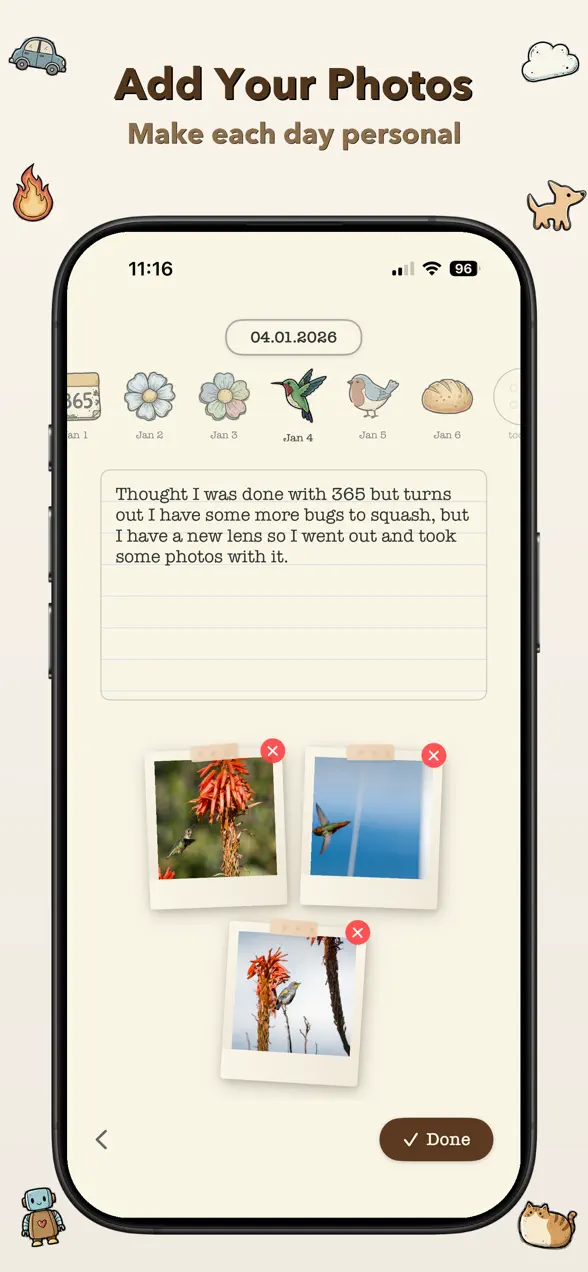
The daily journals people actually keep are tiny. One line, maybe a photo, done in under a minute, at the same time every day, with some way to see your progress. That's the whole design of 365 Buttons, the iPhone and iPad journal I built. Each day you write a few words, add up to three photos, and place a button on a board that fills up over the year. It isn't free: there's a 3-day free trial, then it's $1.99 a month or $19.99 once for lifetime access.
Why most journals are abandoned
Most journals ask for too much. A blank page wants a whole thought, and the reward, a stack of dated entries, is invisible. So the habit is fragile. Miss a day or two and it feels like you've "broken" it, and you stop.
The research on habits points the other way. In a well-known study in the European Journal of Social Psychology (Lally et al., 2010), 96 volunteers each repeated one daily behavior in the same context. It took an average of 66 days for the behavior to become automatic, with a huge range of 18 to 254 days, as the lead author explains here. Just as useful: a single missed day had little effect on building the habit. You don't need a perfect streak. You need to keep coming back.
Six rules for a journal you'll keep
- Make the entry tiny. One sentence counts. "Coffee at a new place downtown" is a perfectly good entry. You can always write more on good days.
- Attach it to something you already do, like your morning coffee or getting into bed. The habit study used a fixed daily context for a reason.
- Let a photo do the work. On days you have nothing to say, pick the best photo from your day and write one line about it.
- Make progress visible. A calendar, a jar, a board. Seeing a year fill up is more motivating than a list of entries.
- Use a reminder, not willpower. A notification at your chosen time does the remembering for you.
- Don't restart after a miss. Skip the guilt and write today's entry.
How 365 Buttons puts that into practice
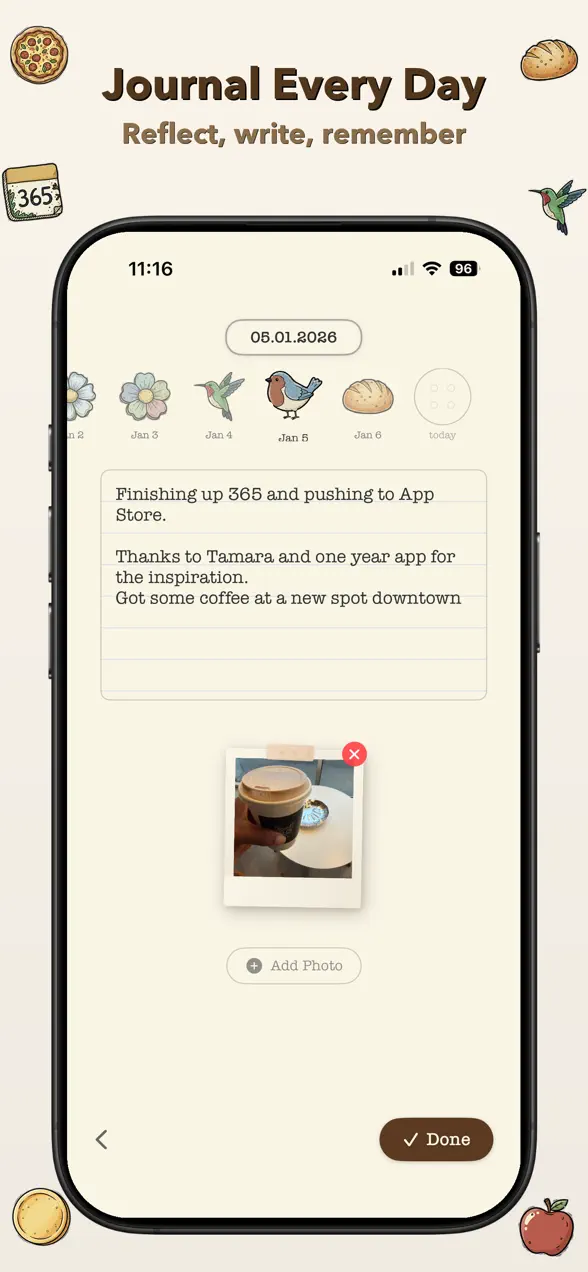
I built 365 Buttons in January 2026, after the "365 buttons" TikTok trend took off. It started when a TikTok user named Tamara said she was "getting 365 buttons, one for each day" because she was "scared of time" and wanted to be more conscious of it. I loved the idea of a year you can see, so I made a version you can write in. (You can spot my thank-you to Tamara in the first screenshot above.)
The daily loop takes about a minute:
- Write today's entry. A few words or a few paragraphs.
- Add up to 3 photos from the day.
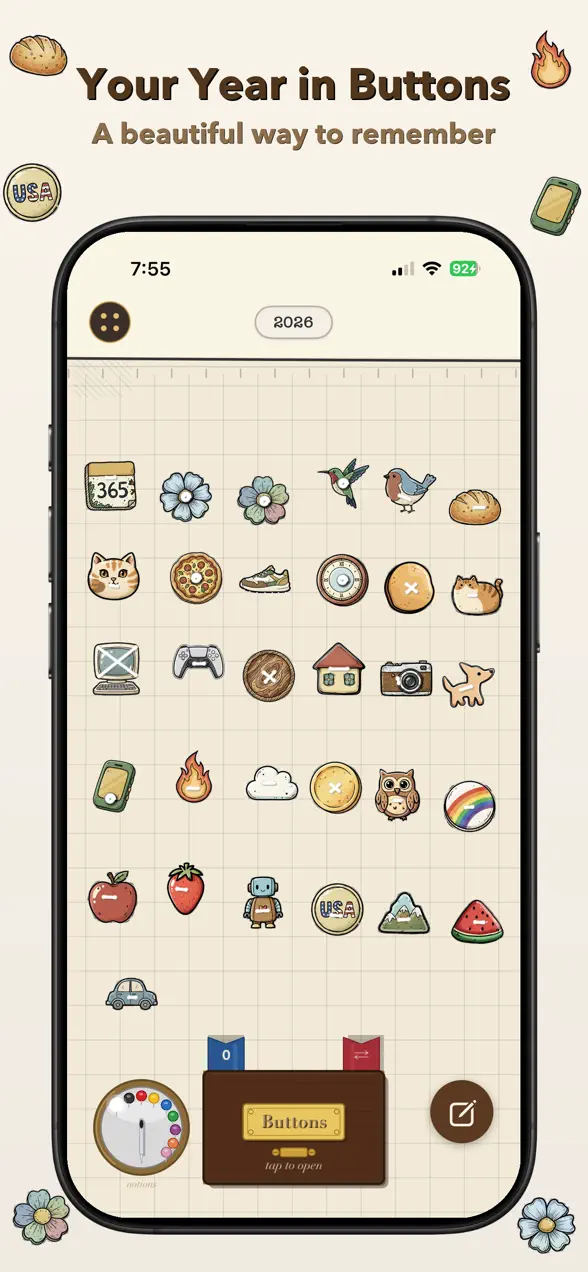
- Choose a button and place it on your board. Each button links back to that day's entry and photos.
Each month brings 30 or more new buttons (365 over a year), unlocked with a pack-opening animation. The Button Factory turns your own photos into custom buttons, and Replace Button lets you swap one you've placed. You can pan and zoom around the board, jump between days with the date carousel, set a daily reminder, and add a Home Screen widget.
| Platforms | iPhone and iPad |
|---|---|
| Price | 3-day free trial, then $1.99/month or $19.99 lifetime (US prices) |
| Each day | A written entry, up to 3 photos, and one button on your board |
| Buttons | 30+ new each month; make your own in the Button Factory |
| Habit helpers | Daily reminders and Home Screen widgets |
Is 365 Buttons right for you? An honest take
- It's paid. After the 3-day trial it costs $1.99 a month or $19.99 once. If you want a free journal, Apple's own Journal app is built into iPhone (available since iOS 17.2). It's great for longer entries and writing suggestions, but it doesn't have a visual board to fill.
- It's built for short entries. You can write as much as you like, but the design rewards showing up daily, not long essays.
- Apple devices only. There's no Android or web version.
- It's young. It launched in 2026 and has no App Store ratings yet.
If you want the habit side without the journal, Did it, my free habit tracker, has streaks, reminders and a simple mood journal, with no subscription. The full feature list for 365 Buttons is on the 365 Buttons app page.
Frequently asked questions
Is 365 Buttons free?
No. 365 Buttons has a 3-day free trial. After that it costs $1.99 a month or $19.99 once for lifetime access (US prices).
What do you do each day in 365 Buttons?
You write a short journal entry, add up to three photos, and place a button on your board. Over a year the board fills with 365 buttons, and each one opens that day's entry and photos.
How long does it take to build a journaling habit?
In the best-known study of everyday habits (Lally et al., 2010), it took an average of 66 days for a daily behavior to become automatic, with a range of 18 to 254 days. Missing a single day had little effect, so don't restart after a miss.
Can I make my own buttons?
Yes. The Button Factory turns your own photos into custom buttons, and 30 or more new buttons unlock each month.
First published . Updated September 26, 2026: rewrote the post around keeping a journaling habit, added habit research with sources, corrected the pricing (it's a trial, then paid, not free), and credited the TikTok trend behind the idea.