To play Star Cluster Ball on your phone, install Tilt Pool: Star Cluster Ball (free on iPhone, iPad and Android), drag back on a ball like a slingshot, and let it roll up the tilted table into one of 21 slots on three discs worth 1, 2 and 3 points. I built Tilt Pool as a recreation of the real table game, so this guide covers how the controls and scoring work in the app, and the habits that get you bigger scores in Solo, Endless and against the AI.
If you're wondering what the real game is, why it has so many names, and how the physical table works, read my explainer on Yotyan, Unc Ball and Star Cluster Ball. Short version: it's a recent Chinese tabletop skill game that spread through livestreams and short videos, not an old arcade machine. This post is about playing it on a phone.
How to take a shot
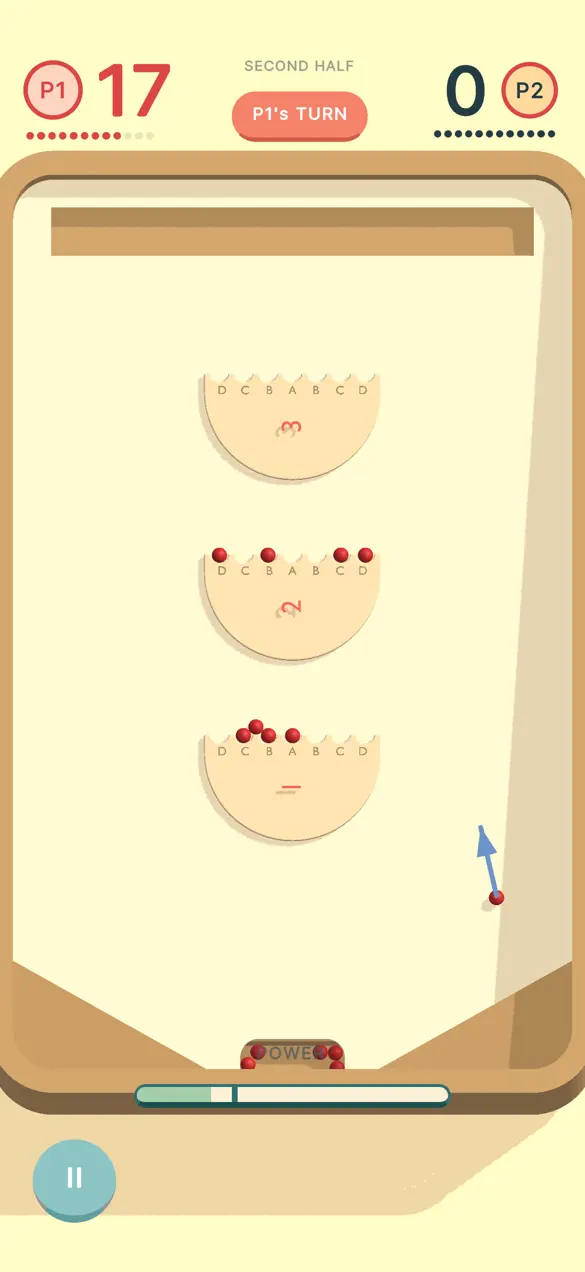
Every shot has three steps, and they're the same in every mode:
- Place the ball. Touch the launch area at the bottom of the table to drop a ball where you want to start. Where you start matters. Pick a spot that gives you a straight line to the slot you want.
- Pull back and aim. Drag back from the ball like a slingshot. The further you pull, the harder the launch. Sweep left or right to angle the shot.
- Let go. The ball rolls up the slope, slows, and gravity brings it back down. If it drops into a slot on one of the three discs, it scores.
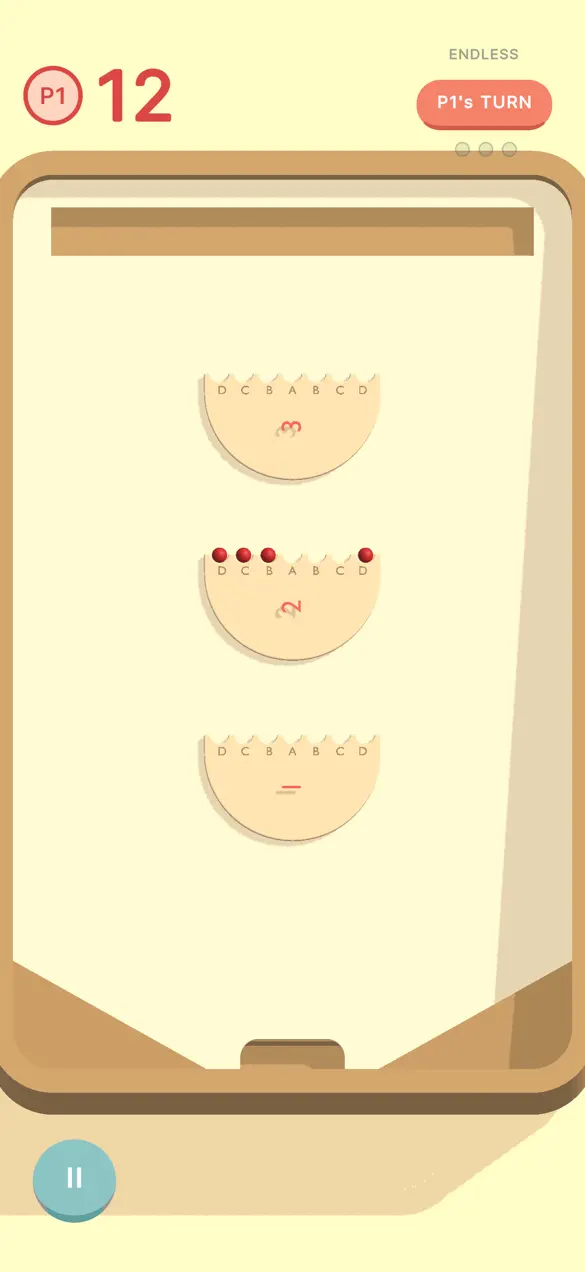
The discs sit further up the table as their value goes up: the bottom disc is worth 1 point per ball, the middle one 2, and the top one 3. Each disc has 7 slots, 21 in total.
| Platforms | iPhone, iPad and Android |
|---|---|
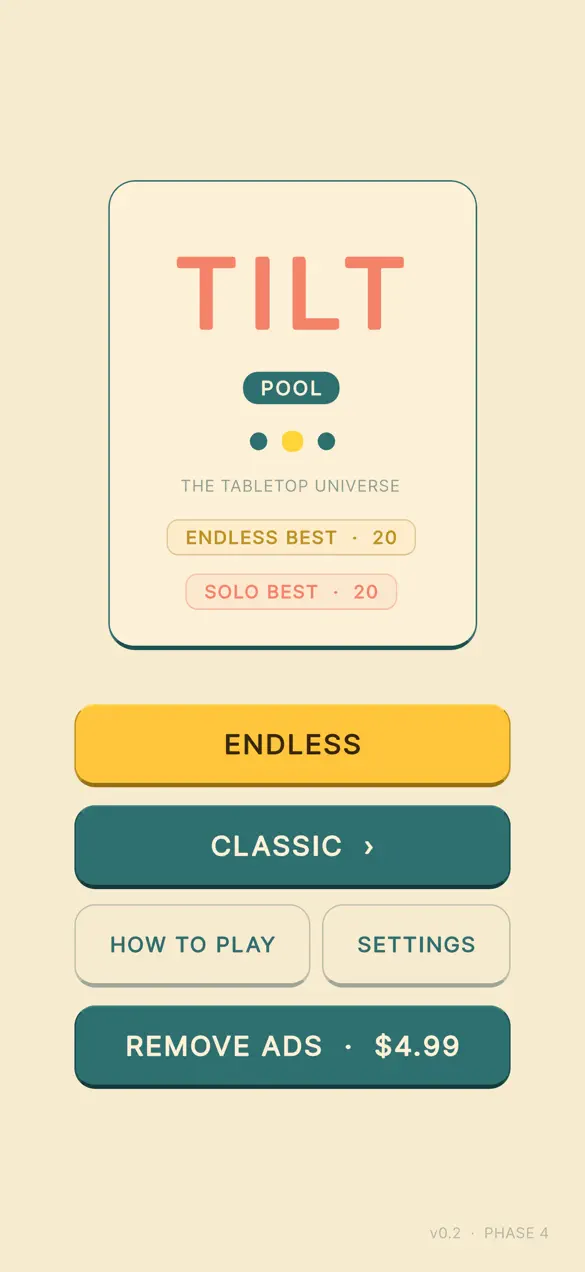
| Price | Free with non-personalized rewarded ads; Remove Ads is a one-time $4.99 |
| Modes | Solo (24 balls over two halves), Endless (3 strikes), 1v1 local pass-and-play, VS AI |
| AI levels | Novice, Strategist, Master, Perfect |
| Scoring | 21 slots on 3 discs worth 1, 2 and 3 points, with a double for touching balls |
| Not available | Online multiplayer |
How scoring works in Tilt Pool
Tilt Pool follows the scoring used by the YoTyan table rules: a ball that lands in a slot scores its disc's base value, and some landings pay more:
- Break shot: the first ball to land on an empty disc. In head-to-head modes it also earns you another shot.
- Touching ball: a ball that lands in a slot right next to an occupied slot scores double, and earns another shot.
- Bridge ball: a ball that stops on a disc without dropping into a slot. It scores nothing until it's knocked into a slot.
The table also has the bell and a halftime. In Solo you get 24 balls over two halves, and halftime sweeps the table clear, so the second half starts from an empty board.
Seven tips for better Star Cluster Ball scores
1. Use the last-shot ghost
After each shot, Tilt Pool leaves a faded marker at the highest point your last ball reached, plus a ghost of your last aim arrow. Aim relative to it. "A bit less pull than last time" is much easier than guessing from memory, and it stops you overcorrecting after a miss.
2. Learn one power for each disc
Spend your first few Solo runs learning roughly how far to pull for the bottom, middle and top discs, starting from the same spot. Once those three pulls feel natural, you're aiming, not guessing.
3. Build next to your own balls
A touching ball is worth double, so a disc with one ball on it is a target. The slots either side of it are worth twice as much as an empty stretch of the same disc. On the 3-point disc, that's 6 points for one ball.
4. Don't chase the top disc every time
The top disc pays 3, but a long shot that drains back to the tray pays nothing. A double on the middle disc (4 points) often beats a single on the top disc, and it's an easier shot.
5. In Endless, only drains cost you
Endless gives you 3 strikes, and a strike only happens when a ball rolls all the way back into the tray without scoring. A ball that stops on a disc as a bridge ball doesn't cost a strike. When a disc's 7 slots are all full, it clears so it can score again. When you're down to your last strike, play the safer shot. You can watch an optional ad to continue once your strikes run out.
6. Climb the AI levels in order
VS AI has four levels, from easiest to hardest: Novice, Strategist, Master and Perfect. Novice is the one to learn against. Beat each level a few times before moving up, and save Perfect for when you think you've got it.
7. Use pass-and-play for the real feel
1v1 local mode is the closest thing to the real table: two players, red against black, one phone passed back and forth. Extra shots for break shots and touching balls matter a lot more when someone is waiting to take their turn.
What Tilt Pool doesn't do
- No online play. Head-to-head is on one device or against the AI. Online multiplayer isn't available.
- It's a recreation, not the physical table. Aiming with a finger on glass is not the same as releasing a ball from a real launching tray. It captures the rules and the feel of the slope, not the weight of a real ball in your hand.
- Rules differ from some livestreams. Tilt Pool uses 1, 2 and 3 points per disc, like the YoTyan rules. Some Chinese livestreams use different house rules, such as timed halves or a higher value for the top disc (details in the explainer).
- Ads. The free version uses non-personalized rewarded ads, which you only see if you choose to continue an Endless run. Remove Ads is a one-time $4.99.
For store links and the full feature list, see the Tilt Pool app page. If you like short skill games, HexaBounce and Snake Board 2048 are in the same spirit.
Frequently asked questions
How do you play Star Cluster Ball on your phone?
Install Tilt Pool: Star Cluster Ball, which is free on iPhone, iPad and Android. Touch the launch area to place a ball, drag back like a slingshot to set power and angle, and release so the ball rolls up the tilted table and drops into one of 21 slots on three discs worth 1, 2 and 3 points.
Is Tilt Pool free?
Yes. Tilt Pool is free to download. It uses non-personalized rewarded ads, which only appear if you choose to continue an Endless run, and a one-time Remove Ads purchase costs $4.99.
Can you play Tilt Pool against the computer or online?
You can play against the computer. VS AI has four levels: Novice, Strategist, Master and Perfect. There is also 1v1 local pass-and-play on one device. Online multiplayer is not available.
How do touching balls and bridge balls work?
A ball that lands in a slot right next to an occupied slot is a touching ball. It scores double and earns another shot. A bridge ball is a ball that stops on a disc without dropping into a slot. It scores nothing until it is knocked in.
First published . Updated September 26, 2026: rewrote the post as a how-to-play guide, corrected the background of the real game, and updated the modes (VS AI is live; online play is not).