Phyziq is a completely free iPhone gym log, with no in-app purchases and no subscription. It logs sets, reps, weight and RPE with a rest timer, turns a photo of a written plan into a routine, generates multi-week programs, and tracks personal records, progress photos and body measurements across a library of 340+ exercises. There's no Apple Watch app, but it reads live heart rate from a Watch, AirPods or Beats through Apple Health. I built Phyziq for my own training. It has 5.0 stars from 5 ratings on the US App Store (September 2026). For screenshots and the download link, see the Phyziq app page.
What is Phyziq?
Phyziq is a workout tracker for strength training. You log each set as you lift, the app remembers what you did last time, and over weeks it turns those logs into records, charts and a picture of which muscles you're actually training. It covers weighted, bodyweight and timed exercises.
I started it because every gym app I tried either paywalled the useful parts or made logging a set slower than writing it down. The rule I built Phyziq around is simple: logging a set should take less time than your rest.
| Platform | iPhone, with a Home Screen widget (no Apple Watch app) |
|---|---|
| Price | Completely free: no in-app purchases, no subscription |
| Exercise library | 340+ exercises, plus routines and programs |
| AI features | Routine import from a photo; program generator |
| Import | Hevy (CSV). Not Strong. |
| Apple Health | Heart rate from Watch/AirPods/Beats, body measurements in, workouts out |
Who is Phyziq for?
- Lifters who care about progressive overload and want last session's numbers in front of them on every set.
- People following a written program from a coach, a PDF or a screenshot, who don't want to retype it.
- Beginners who want a sensible starting program built around their equipment.
- Hevy users who want to bring their history with them.
- Anyone who doesn't want to pay for a gym log. Nothing in Phyziq is locked.
How to log your first workout
- Tap Start Workout and add exercises from the library, or start from a routine or program.
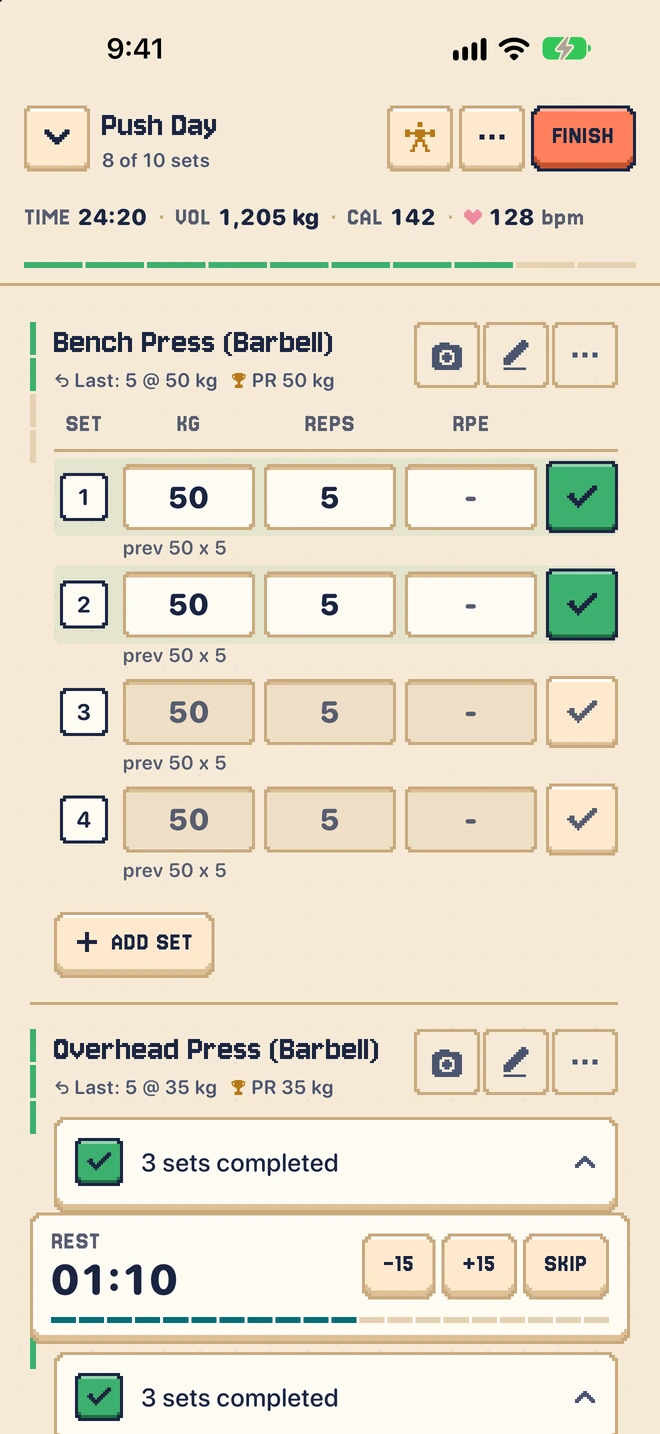
- For each set, enter weight and reps. Last session's numbers show above each set, so you know exactly what to beat.
- Tag the set type (warm-up, normal, drop set or failure) and add an RPE if you use it.
- Use the rest timer between sets, and adjust its length for each exercise.
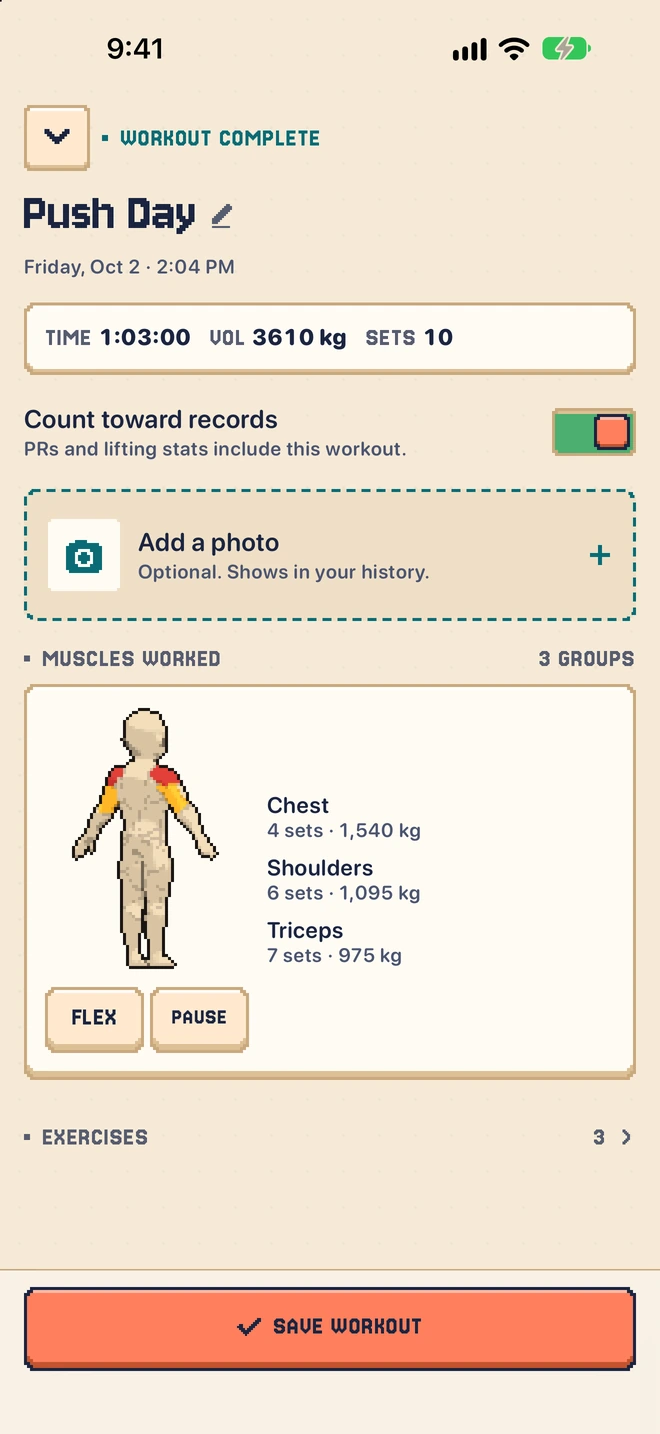
- Finish the workout. Phyziq saves it to your history, flags any new personal records, and can export it to Apple Health.
AI routine import and the program generator
AI routine import turns a photo of a workout plan into a Phyziq routine: a coach's printout, a screenshot, a notebook page or a whiteboard. The program generator works the other way, building a multi-week program from your goal, experience level, available equipment and the areas you want to focus on.
Tips for getting good results:
- Crop to the plan. A photo with only the exercise list reads better than a whole page with notes in the margins.
- Check the matches. Each imported exercise is marked as an exact match, a similar match or no match against the library. Look at the similar and unmatched ones and swap anything that isn't what your coach meant.
- Treat a generated program as a draft. It's a solid starting structure, not a prescription. Swap exercises you don't like and adjust sets to your recovery.
Using Phyziq to actually make progress
A log only helps if you use it to decide what to do next. Here's how I use my own:
- Beat one number. When the previous set says 80 lbs × 10, aim for 80 × 11 or 85 × 8. One rep or one small jump is progress.
- Use RPE to decide when to add weight. If the last set of an exercise felt like an RPE 7 or lower, add weight next time. If it was a 9 or 10, repeat the weight and chase a rep.
- Watch the muscle heatmap weekly. It shows where your volume is actually landing. A muscle group that's always pale is usually the one that's lagging.
- Take a progress photo every few weeks in the same light and pose. Scale weight moves slowly; photos and measurements show change the scale misses.
If you're logging consistently and still stuck, I went through the most common reasons in why you're not seeing gym gains.
Tracking progress: records, charts, photos and measurements
Phyziq flags personal records automatically, charts each exercise's history from a few months to all time, and shows muscle-group heatmaps on a body map. Progress photos sit on a timeline, and you can track body measurements including weight, body fat, chest, waist, hips, thighs, arms, shoulders, neck and calves. Measurements can be imported from Apple Health.
Apple Health, heart rate and steps
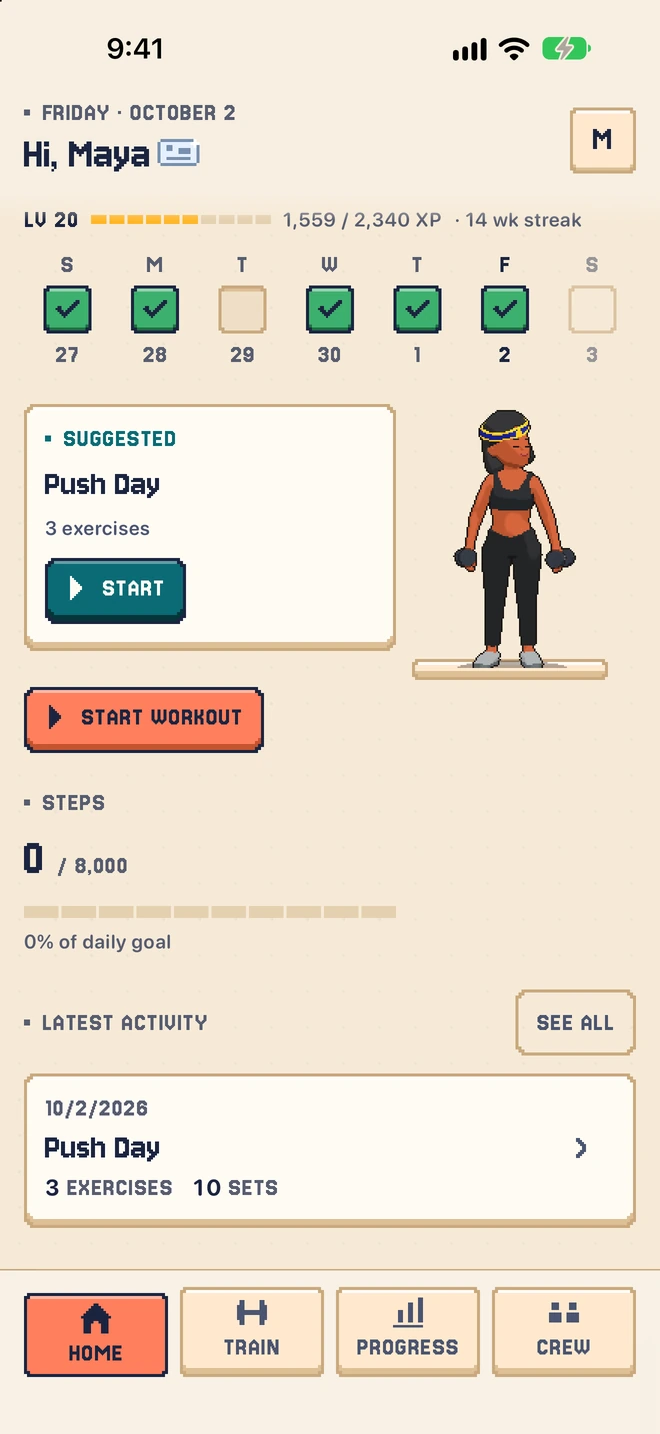
During a workout Phyziq can show live heart rate from an Apple Watch, AirPods or Beats through Apple Health, and estimate calories. It also has a daily step goal with walking reminders and a Home Screen widget, and it can save finished workouts to Apple Health so your rings and history stay in sync.
Switching from another app
If you're coming from Hevy, export your workouts as CSV from Hevy and use Import Hevy Data in Phyziq's settings to convert them into Phyziq logs. If you're coming from Strong, there's no import yet, so you'd start fresh or rebuild your routines (a photo of your routine screen through AI import is the fastest way). Phyziq also has its own backup and restore. For a fair side-by-side, see Phyziq vs Strong.
What Phyziq doesn't do, and who should look elsewhere
- No Apple Watch app. You log on your iPhone. If logging sets from your wrist matters to you, pick an app with a Watch app.
- No Strong import. Only Hevy history can be imported today.
- iPhone only. There's no Android or web version, so you can't log from a laptop or share a log with an Android-using coach.
- It's a log, not a coach. It won't correct your form or auto-adjust your weights. The program generator gives you a starting plan; the progression decisions are yours.
- It's a small, independent app. It has a handful of ratings, not thousands. If you want the most established option, Strong has a much longer track record.
If your training is more timed circuits than sets and reps, an interval timer like Tempo pairs well with a strength log.
Frequently asked questions
Is Phyziq free?
Yes. Phyziq is completely free, with no in-app purchases and no subscription. Workout logging, the rest timer, AI routine import, the AI program generator, progress photos, measurements and charts are all included.
Can I import my workouts from Hevy or Strong?
Phyziq can import your workout history from a Hevy CSV export. It cannot import from Strong. You can also snap a photo of a written workout plan and Phyziq's AI routine import turns it into a routine.
Does Phyziq have an Apple Watch app?
No. Phyziq runs on iPhone and has a Home Screen widget, but there is no Apple Watch app. During a workout it can read live heart rate from an Apple Watch, AirPods or Beats through Apple Health, and it can save finished workouts to Apple Health.
Does Phyziq generate workout programs?
Yes. The AI program generator builds a multi-week program from your goal, experience level, available equipment and the areas you want to focus on. Treat it as a starting plan and adjust it to suit your recovery.
First published . Updated September 26, 2026: clarified that Phyziq is completely free and has no Apple Watch app, added import details (Hevy yes, Strong no), practical progress tips and an honest limits section.